zyneticai.com AI Creative Studio
AI Agents AI Chat Pricing
image tool Uses 1 image
Sign In or Create Account
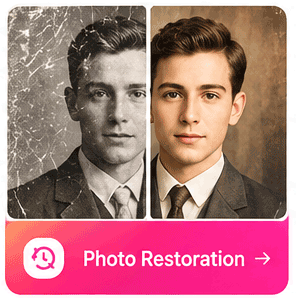
Photo Restoration example output

Photo Restoration

Restore old, scratched, damaged, or faded vintage photographs with AI coloring.

Sign in to generate
Free accounts include 100 images and 1,000,000 words. Video and music come with a package.
Add your file
Drop a file, pick from your gallery, or use the camera · JPG, JPEG, PNG, WEBP · max 25MB
Starting…
1. Sending 2. Processing 3. Result
This usually takes 10–30 seconds.
Your Generation is Ready

Recent Photo Restoration History

Sign in to access your generation history across all devices.

What is Photo Restoration?

Designed around Gemini 2.5 Flash Image diffusion models, Photo Restoration equips photo restoration users and graphic designers with a specialized solution for photo restoration and digital image creation. Restore old, scratched, damaged, or faded vintage photographs with AI coloring. Rather than offering generic suggestions, it evaluates your photo restoration details (restoration mode, color palette tone) and specific photo restoration preferences to produce custom controls for Restoration Mode, Color Palette Tone, tailored photo restoration concepts, and structured photo restoration breakdowns. Every detail of custom controls for Restoration Mode, Color Palette Tone, tailored photo restoration concepts, and actionable digital image creation and visual editing recommendations is structured so photo restoration users and graphic designers can copy, download, or share the final photo restoration high resolution PNG, JPG, right away.

How to use Photo Restoration

  1. Fill in the Photo Restoration prompt box with clear notes covering your photo restoration details (restoration mode, color palette tone) and specific photo restoration preferences and your target outcome.
  2. Adjust the optional settings or style controls on the Photo Restoration form to emphasize custom controls for Restoration Mode, Color Palette Tone and tailored photo restoration concepts.
  3. Click the generate button to run Gemini 2.5 Flash Image diffusion models and watch Photo Restoration assemble custom controls for Restoration Mode, Color Palette Tone, tailored photo restoration concepts, and structured photo restoration breakdowns.
  4. Review the generated custom controls for Restoration Mode, Color Palette Tone and tailored photo restoration concepts, save the result to your Zyneticai history, or export the photo restoration high resolution PNG, JPG, for immediate use.

Example

Sample Input

Photo Restoration prompt: 1940s family portrait, grandfather wore dark navy suit and grandmother wore cream lace dress. Focus on custom controls for Restoration Mode, Color Palette Tone and tailored photo restoration concepts using your photo restoration details (restoration mode, color palette tone) and specific photo restoration preferences.

Sample Output

Photo Restoration output: a tailored photo restoration specialist deliverable covering custom controls for Restoration Mode, Color Palette Tone, tailored photo restoration concepts, structured photo restoration breakdowns, and actionable digital image creation and visual editing recommendations as photo restoration high resolution PNG, JPG,.

Frequently asked questions

Why should photo restoration users and graphic designers use Photo Restoration for photo restoration and digital image creation?

By pairing your photo restoration details (restoration mode, color palette tone) and specific photo restoration preferences with photo restoration specialist expertise, Photo Restoration produces actionable custom controls for Restoration Mode, Color Palette Tone, tailored photo restoration concepts, and structured photo restoration breakdowns ready for immediate use in photo restoration and digital image creation.

Why does Photo Restoration ask me to sign in when generating output?

Anyone can open Photo Restoration to see how it handles photo restoration. Creating or signing in to an Zyneticai account lets you execute the photo restoration specialist engine and access your saved results across devices.

How much does it cost to run Photo Restoration on zyneticai.com?

Every free Zyneticai account includes a starter balance of 4 AI images and 10,000 AI words that works with Photo Restoration. For heavier photo restoration and digital image creation volume, one time paid packages for 2, 6, or 12 months starting at $20 unlock up to 12,000,000 words with no auto renewal.

What technical formats are compatible with Photo Restoration?

Photo Restoration runs directly in any modern desktop, Android, or iOS browser without installing plugins. It accepts multilingual prompts regarding your photo restoration details (restoration mode, color palette tone) and specific photo restoration preferences and outputs photo restoration high resolution PNG, JPG, ready to copy or download.

Are my prompts and generated outputs in Photo Restoration kept private?

Security and privacy are built into Photo Restoration: your your photo restoration details (restoration mode, color palette tone) and specific photo restoration preferences and resulting photo restoration high resolution PNG, JPG, are scoped strictly to your signed in user ID and protected with session authentication.

Related tools